A new story on your lock screen
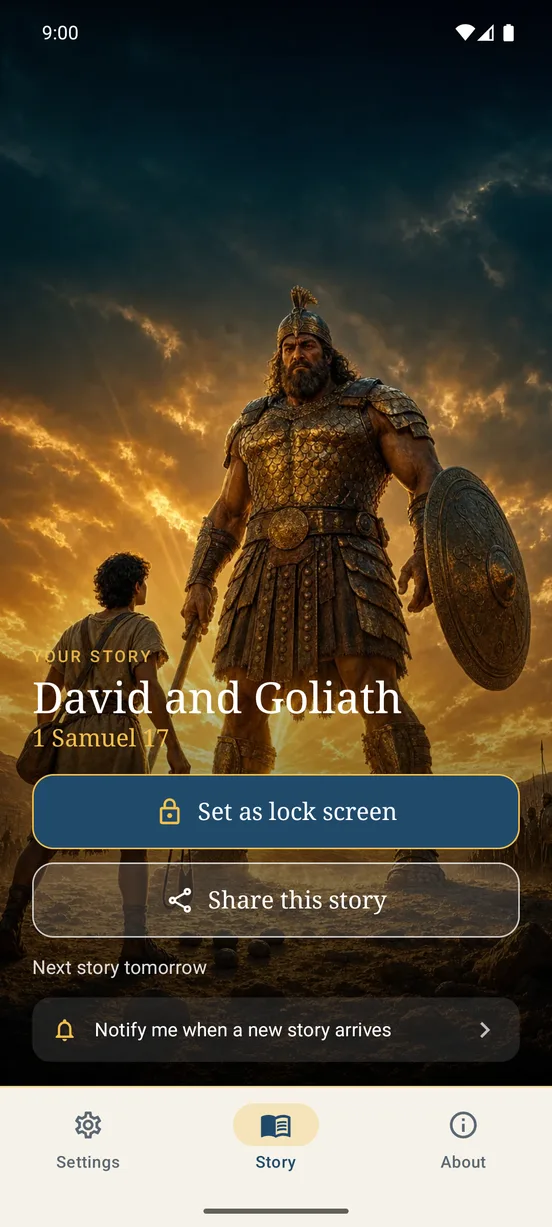
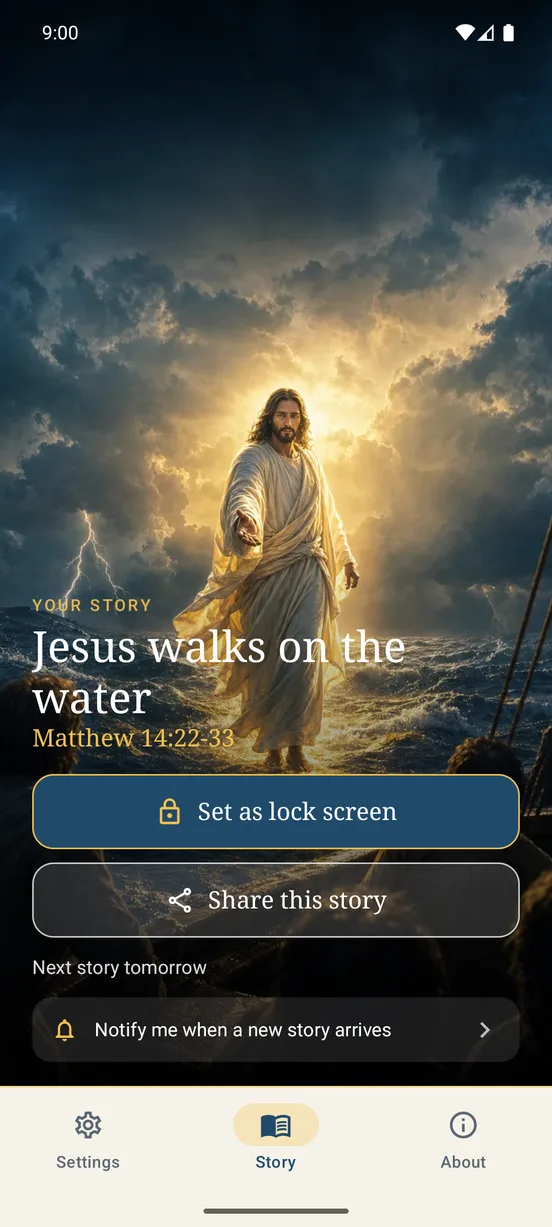
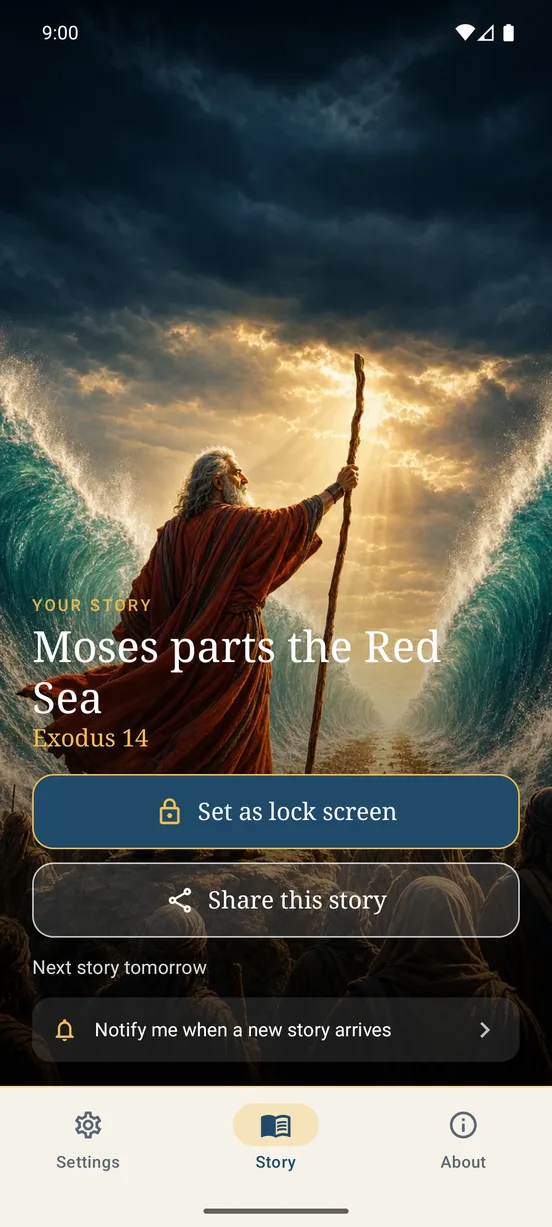
Each story is an illustrated, cinematic picture made for the lock screen of your phone.
Christian / Bible stories · A Rafael Lima product
One illustrated Bible story on your lock screen.
Coming soon to Google Play
One short email when a new Bible app is published or a big update lands. No weekly newsletter, no sharing your address.
The product
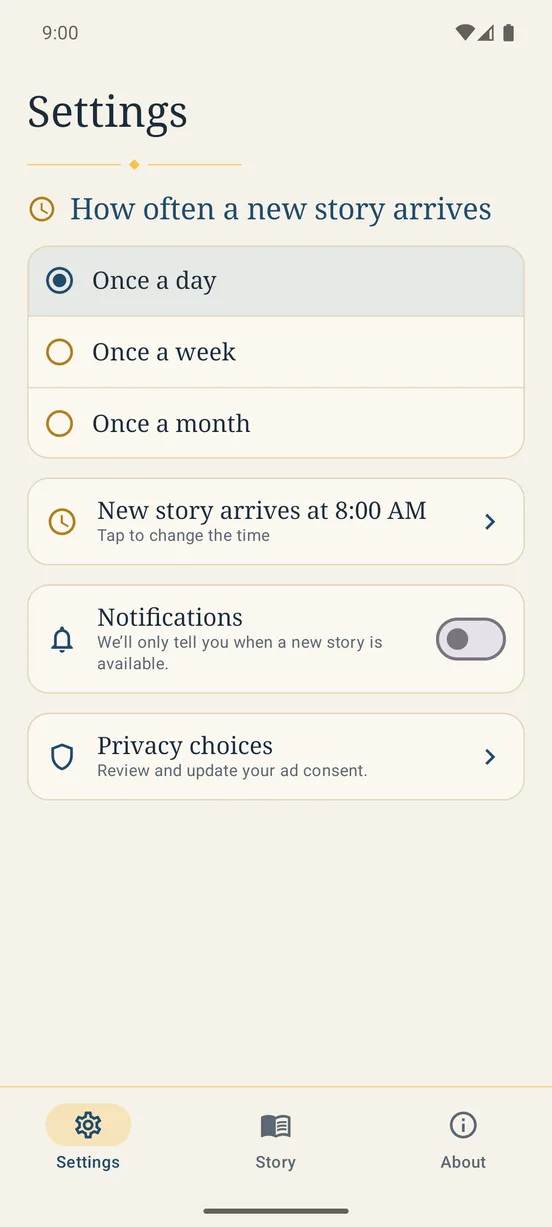
Bible Story Wallpaper brings people closer to the Bible, one story at a time. Each story arrives as an illustrated, cinematic picture for your phone's lock screen. You choose how often a new story arrives (once a day, once a week or once a month) and at what time. Open the app any time to see the current story and set it as your lock screen with one tap. There is no gallery to browse, no account and no login. Optional notifications only tell you that a new story is available. You can share the current story as a picture, with a footer that carries the app name. The app is available in 83 languages (AI translated), works offline and is free, with one small ad banner shown only after you have set a lock screen once. Made by Rafael R. G. Lima.
The Bible is easy to set aside in a busy day. Bible Story Wallpaper puts one illustrated story on your lock screen at the rhythm you choose, so the Bible is in sight without another app to manage.
Anyone who wants a quiet daily, weekly or monthly reminder of the Bible on their phone, on their own or to share with others.
Inside the product
A closer look at the interactions, visual system, and product decisions behind the application.
How it works
Pick once a day, once a week or once a month, and the time a new story arrives.
See the current story any time and set it as your lock screen with one tap.
Send the story as a picture with your phone's share sheet.
Product capabilities
Each story is an illustrated, cinematic picture made for the lock screen of your phone.
Pick once a day, once a week or once a month, and the time the new story arrives.
Open the app any time to see the current story and set it as your lock screen.
One story at a time, and nothing to sign up for or log in to.
Share the current story with your phone's own share sheet. The picture carries a footer with the app name.
Available in 83 languages, AI translated. It works offline.
Availability
Bible Story Wallpaper is for Android and is coming soon to Google Play. It may not be offered in every country.
No account and no personal data collected by the developer; the app works offline and keeps its settings only on your device. One small Google AdMob banner (non-personalised only), shown only after you have set a lock screen once and only where Google's consent form allows it. Anonymous Firebase Analytics, switched on only after consent, with no personal data and no free text. For ages 13 and over. See the full privacy policy for details.
Read the privacy policyQuestions
A free Android app that brings one illustrated, cinematic Bible story to your lock screen.
You choose: once a day, once a week or once a month, at the time you pick.
No. The app shows the current story, and you set it as your lock screen with one tap.
There is no account. The app works offline and keeps its settings only on your device.
The developer collects no personal data. Anonymous Firebase Analytics is switched on only after you consent, with no personal data and no free text.
It is free, with one small Google AdMob banner, non-personalised ads only, shown only after you have set a lock screen once and only where Google's consent form allows it.
Use the support page linked from this product page, or email contact@rafaelrglima.com.
Official resources
Help, contact details, and common questions.
How information is stored and handled.
The terms that apply to this product.
Designed and developed by Rafael Lima · View all products